



ACCOUNT
Verification steps
See which phone check comes before lobby access and where later account requests appear.
jun-88 puts Live Baccarat, Aviator, slots and football markets behind one account, with DANA and QRIS status visible near the cashier.
Access is available only where local law permits.


Casino tables, slot rooms, fishing games and sportsbook markets share one Home path, so you can change categories without searching separate pages.
Pragmatic Play, PG Soft and Habanero appear across our Home catalogue, with studio labels helping you recognise a game before opening its page.
DANA, OVO, GoPay and QRIS appear in the Home cashier with their current status before you submit a transfer.
Home gives you the short route into the lobby, but several linked areas deserve a closer look before you fund an account.
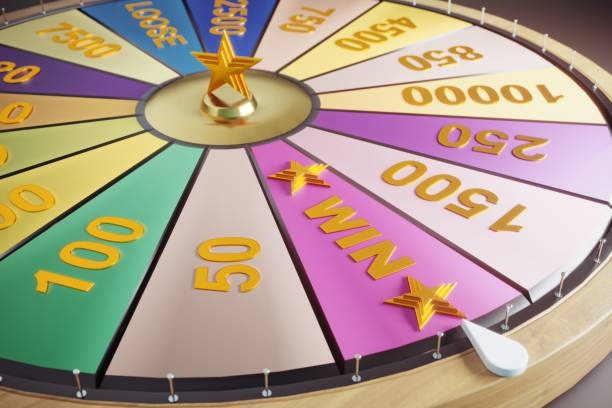


Your first Home visit should answer four practical questions: where account creation starts, which details are required, what the lobby contains and how access is checked.
The mobile Home keeps account entry, category search and cashier status in one vertical path.
Phone verification creates a clear checkpoint before your first account session.
Complete the verification message on the phone connected to your account. Do not send the code through chat or share it with anyone asking to confirm a game.
Leave your session when using a shared device and reopen Home through your saved domain. If activity looks unfamiliar, contact live chat before making another wallet request.
Password changes and personal details sit apart from cashier actions. This separation gives you a clearer checkpoint before confirming either an access change or a transaction.
Provider pages carry game-specific rules and controls. Read them before starting Live Baccarat, Aviator or another category because round behaviour is not identical across the Home catalogue.
Shared messages and offline recommendations can point to outdated game or cashier pages. Our Home provides a single starting point where you can verify the domain, open the current lobby, inspect wallet…
Start from jun-88.co to reach current navigation and account actions. A copied game link may bypass context that Home provides about categories, support and wallet status.
Home separates slots, live tables, fishing, bingo and sportsbook markets. A shared title alone does not show how that game relates to the rest of the catalogue.
The Home route places account creation before phone verification and cashier access. Following that sequence reduces confusion about why a wallet action is unavailable.
Cashier records show the submitted rail and transaction state. Verbal updates or old screenshots cannot replace the status attached to your own account record.
Terms and privacy links remain in the Home footer. Printed material or forwarded text may not reflect the version currently presented for account access.
The help panel stays beside account and cashier routes, letting you reference the correct message or receipt. An unrelated contact cannot inspect your Home account record.
Game behaviour differs by category, so Home sends you to the relevant game page before a round starts.
Open the provider panel for game rules, feature behaviour and any displayed return details before choosing a stake.
Check table limits, seat status and table-specific rules for Live Baccarat, roulette, Dragon Tiger or blackjack.
Read the round rules and on-screen controls supplied with Aviator before joining an active game cycle.
Use the game page for control details and round behaviour in superfishing rather than relying on category artwork.
Read market selections and settlement wording for football, badminton and basketball before submitting a selection.
Our Home is configured for Indonesia payment context, including DANA, OVO, GoPay, QRIS and bank rails connected with BCA, BRI, Mandiri and BNI. From Jakarta, you can reach the browser lobby on a supported phone, tablet or computer without installing separate software. Game, account and transaction availability depends on local law. Check the access message shown on Home and confirm that your location and payment account meet the applicable terms before creating an account or submitting funds.
Six visible elements shape how you move through Home: named games, category tabs, local wallet chips, account status, support access and policy links.
Live Baccarat, Aviator, bwtogel, lgbola, onlinebingo and superfishing appear with their category context, helping you distinguish table, number, sports and fishing content.
DANA, OVO, GoPay and QRIS are visible near the main Home action. Their placement shows which local rails connect to the account cashier.
The account area shows whether phone verification or another requested step remains incomplete. Check that state before opening the cashier or selecting a game.
Move between slots, live tables and sportsbook markets while keeping one account session. Home remains the return point when you leave a provider game page.
Each submitted transaction creates a record with its rail and status. That record provides the details needed when you contact us about a delayed update.
Footer policies and the Home help panel stay outside game screens. You can inspect account terms or contact routes before committing to a round.
These answers cover the questions you are most likely to have before using the jun-88 Home page: what the lobby includes, how account access works, which Indonesia payment rails appear, where transaction status is stored and how to contact us. Check the current Home screen for category or service availability because access depends on local law.
Begin with the account control in the Home header if you are new, or use the same area to enter an existing account.
Open the header control to create an account or enter an existing one.
Use the Home category row to switch between casino, slots, live tables, fishing, bingo and sportsbook markets without ending your…
Choose a supported rail in the cashier, then use transaction history for the receipt and current status.
Open footer links for account terms and privacy wording.